
Timepulse Interrupt
Synchronize your application to the PPS signal from the GNSS module.
Source: examples/cpp/timepulse-interrupt/, examples/c/timepulse-interrupt/, examples/python/timepulse_interrupt.py
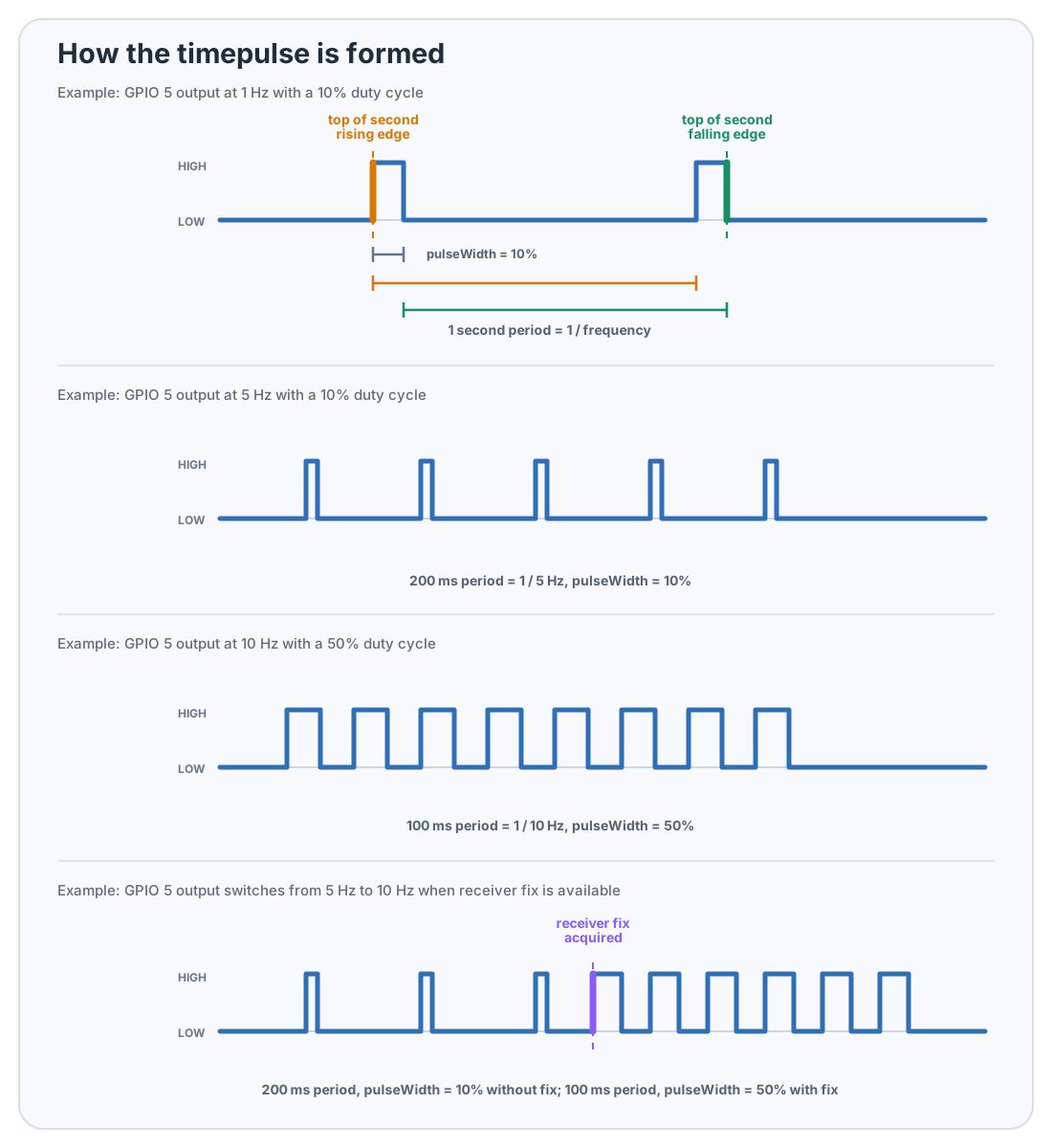
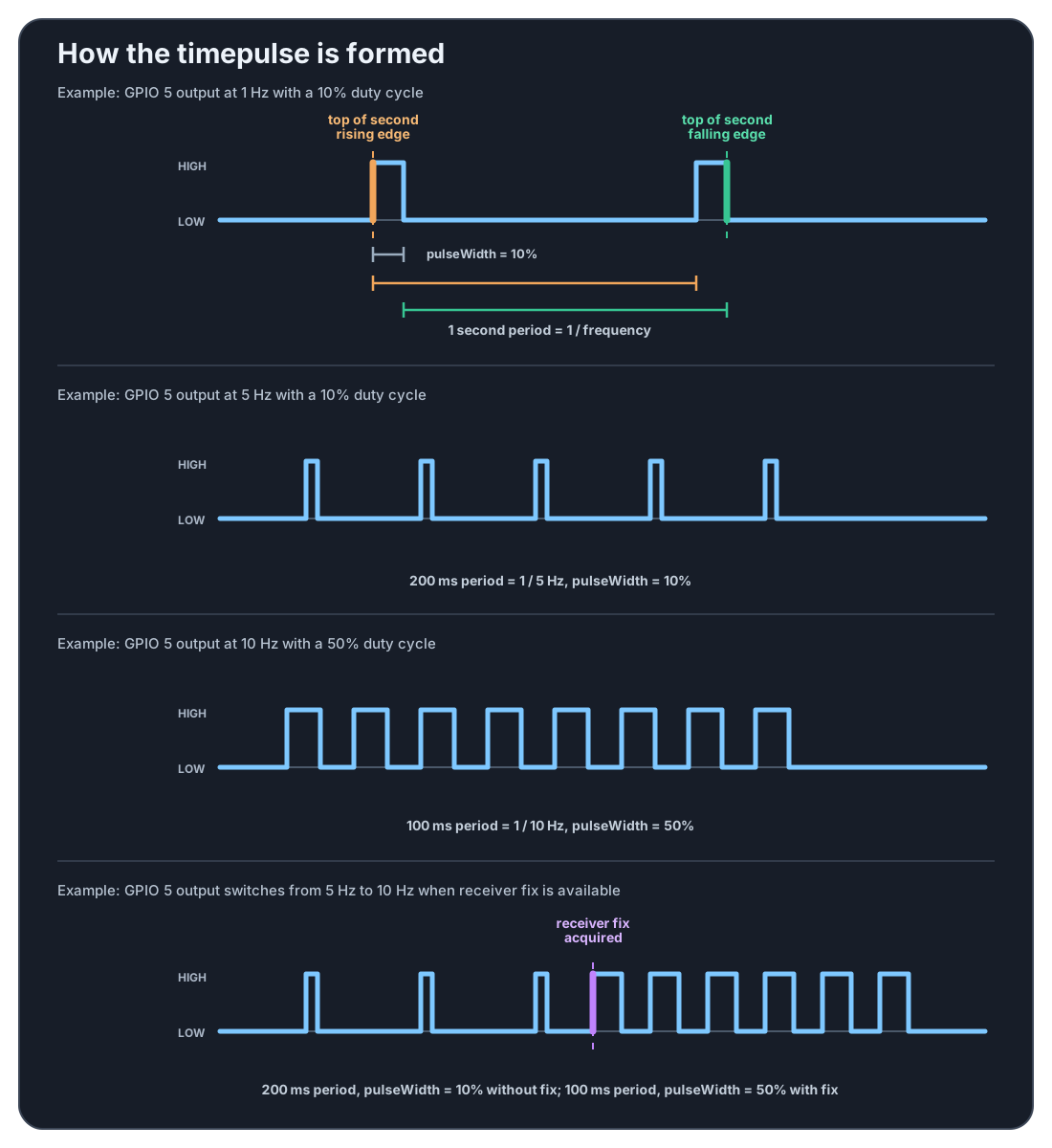
This example waits for the configured PPS edge on GPIO 5. The waveform below starts with an annotated 1 Hz signal so it is easy to see whether your code is synchronizing to the edge where the pulse starts or the edge where it ends. The remaining rows show how the same wait behaves with faster pulses and with a waveform that changes once the receiver has a fix.
hat->enableTimepulse();
while (true)
{
    hat->timepulse();  // blocks until next PPS
    auto nav = hat->navigation();
    printf("PPS: %s\n",
        Utils::utcTimeFromGnss_ISO8601(nav.pvt).c_str());
}
hat->disableTimepulse();
hat.enable_timepulse()
while True:
    hat.timepulse()  # blocks until next PPS
    nav = hat.get_navigation()
    print(f"PPS: {gnsshat.utc_time_iso8601(nav)}")
hat.disable_timepulse()
sudo examples/bin/timepulse-interrupt
sudo build/examples/c/timepulse-interrupt/timepulse-interrupt
python3 examples/python/timepulse_interrupt.py
NoteDo not use this example simultaneously with kernel PPS (/dev/pps0) — both claim GPIO 5.